I’ve had a quote in the signature of my email for oh, something like 20 years. It says “Doing something for someone else is better than anything you could do for yourself.”
I discovered this a few months after I was diagnosed with type 1 diabetes. It sucked, I was miserable, even though I was figuring things out, because my 14 year old brain was very preoccupied with worrying that everyone would think (know) that I was different. I don’t know why that bothered me so much, except for the fact that I’m human and this is a very human thing. This is part of why I didn’t want an insulin pump, because I didn’t want people to look at me and know I had type 1 diabetes. (I grew up in Alabama: stigma against people with diabetes was strong then and honestly still is strong today.) But eventually I decided to drop that concern because I hated having to wake up every Saturday and Sunday morning to eat 60 grams of carbohydrates and do insulin shots. Waking up to eat felt stupid. So I got an insulin pump, and somewhat accepted that people would know that I have type 1 diabetes. And because of that, I decided to start volunteering in diabetes-related things, no longer worrying that people would “know” that I had diabetes. And it turns out…focusing on that, and other people, did so much more for me than anything I had been doing in the first months of living with type 1 diabetes.
I have retained this awareness and mental model ever since. Any time I start feeling overwhelming emotions, often related to or triggered by new health challenges (yay, immune systems that keep on giving new challenges) and feeling alone, I turn to a plethora of activities centered around 1) getting out and moving through space and 2) trying to do things for other people.
It works. It is very, very effective. Sometimes it’s only a momentary solution, but that brief respite in my mental suffering, so to speak, is enough to help break the cycle. I also then realize that if I find myself falling back into the same pattern, then instead of having brain cycles about that, I should instead use that brain cycle to PLAN to do my next thing, with/for other people.
I have observed lately that in these times (over say, the last 10 or so years), it seems like a lot of people would benefit from these types of strategies but maybe don’t realize they’re having these experiences and that they could intervene and break some of these recurring mental patterns. Maybe they don’t know what to do, so that’s the point of this post: a random assortment of things I’ve done over the years when I’ve hit these spots. Some of these activities I do over and over again and some are newly discovered that I’ve recently started. Some of them will feel silly to you or not a good fit for you – that’s to be expected. The kinds of things I am able to do and like to do are wildly different from what might be interesting and in your wheelhouse. But, consider this the ice breaker for you brainstorming YOUR list rather than staring at a blank page not knowing where to start – I predict looking at this list will spur a range of reactions from “ugh, that’s silly” or “I can’t do that/that doesn’t work for me” to “I could do that”.
And, why should you do this? Maybe you don’t perceive yourself to run into these situations, but…maybe you do. More and more often I am startled when, in professional contexts, someone will offer a happy holiday type wish or a “how was your X break” comment and the response is an Eeyore-style “everything is terrible ::gestures at the world::”.
From the outside, I personally have struggled with what to say in response to these (specifically talking about professional contexts). I recognize that the person saying this has a lot of feelings and feelings are valid. Yet. This is often rude and unprofessional. Why? Because you are projecting a lot of that negativity into professional spaces, which is not always the space for discussing those feelings & the situations that are contributing to them. It’s “drive-by dooming” which is contagious (negative feelings spreading) and unproductive. (I was actually struggling to figure out how to articulate why these situations were bothering me until Ken Jennings did a post thread about it – his point was about drive-by dooming on social media, but I see this pattern happen in professional contexts which has been bothering me and I think this framing applies here, too.) I still don’t know what to say, in the moment, in response to these, because I think people might be easily offended in the moment by trying to gently push back and say I hear your feelings but this isn’t a good place right now / this is not appropriate for this. (And honestly: I have observed this pattern for 6+ years so it is not political in one direction or the other, it is pretty common.)
Since I haven’t figured out what to productively say in the moment that won’t hurt relationships – while recognizing that saying nothing is inadvertently hurting relationships, too, by not helping people see when they are ‘infecting’ other people with drive-by dooming – that’s the point of this post. Maybe it will help someone recognize a reflexive pattern of doing this and give them some ideas for other avenues to address these feelings and/or break some of the cycle of these feelings.
First and foremost – go for a walk/roll/ride (however you move through space). If you’re in your pajamas, fine. No one cares. (Bonus: if it’s at night, no one can see what you’re wearing! So if it’s dark out, that’s even more reason to grab a flashlight or a headlamp and go for a walk/roll/ride.). Maybe it’s a 60 second walk around your yard or down the street and back. It doesn’t have to be far/long/etc but the point is to feel the air moving on your face and to physically move you through space. I figured this out at the start of the pandemic, that physically moving myself out of my environment into an outdoor space and “away” from the physical space where I was having those emotions really helped. Did I still have those emotions? Sure. But it became at least infinitesimally easier to work through them or feel like I was able to “step away” from them slightly. It doesn’t have to be fast, and if the weather isn’t wonderful it doesn’t even have to be outside – go to a different room in your house, even, that isn’t your usual place to sit or lay down, to get some physical separation from your ‘usual’ spots. Bonus points if it is somewhere you can open your window and get fresh air (if you’re not in a bad outdoor air situation).
Second, find something or start thinking of something that you can do for someone else. It can be tiny, it can be for someone inside your house, it can be for someone you don’t know. Even the planning to do something can be powerful, even if it’s not something you can do right away (but do follow through on that). It can be related to the things contributing to your feelings, but you have to actually do things to take action – not just sit with the feelings. And, it can be things that prevent you from seeing things that give you feelings.
What do I mean? If you find yourself ruminating over the state of your country and politics, for example, consider whether this is actually useful to you to do so. Do you NEED to be up to date several times a day on what is going on and what everyone is saying about what is going on? Really? (Unless you’re a social media manager and this is your job, or you work in politics…you maybe actually don’t?). Consider putting a timer on your social media and/or news apps to help you see if you are compulsively checking these apps or news sources. If you do need to see them for another reason, consider muting words and accounts heavily. Turn off auto-play of video content so you’re not distracted by something you didn’t come into the app to see. Curate your feed by unfollowing (which you can often do separately than ‘unfriending’) or muting accounts that you don’t need to see right now. Yes, even if it’s someone you know including a friend or family member. If they are online drive-by dooming everywhere, you absolutely do not have to see that and know what they’re doing/saying and take on THEIR feelings and contribute to your own sense of dooming.
Some digital strategies to consider:
- Mute/block/unfollow
- (You can mute words and accounts forever or for things like 24 hours, 7 days, 30 days)
- Put a timer on apps to limit, or at least help you gauge awareness of how long you are using them
- Grayscale your phone or icons
- Remove apps from phone
- Try a different platform (i.e. pinterest style) where it’s easier to curate a feed and/or a new platform because you can start from scratch intentionally creating a feed
Outside of phones/social media/ digital stuff, though, think about doing other things:
- Sign up to volunteer at your food bank
- Join a buy nothing/purchase zero type group and find an “ask” you can meet. Post a few things you’d like to give away.
- Find a few books you no longer want and look up/look for your nearest “Little Free Library” and go take your books there.
- Don’t have any books you can stand to give away? Go to a used bookstore and get a few, read them, and then donate them.
- Live in an apartment building? See someone’s package not delivered to their doorstep (i.e. left incorrectly in the lobby)? Go carry it to their doorstep for them. Bonus: this helps you move through space!
- Make/cook/bake/create a batch of something and give it to someone else. (If you need ideas and you’ve never made fudge before, try this microwave fudge recipe. Nom. Or make something you love and give some to someone else to try.)
- It doesn’t have to be home baked. This year at Christmas I was feeling the un-cheer of not having big holiday plans. One of the things I did was look through my boxes of gluten free cookies and realize I have a lot of great treats from other countries (shout out to my friends in New Zealand, Australia, UK, etc) that most people don’t get to try. Also sometimes it’s hard because I feel like I have to eat the whole thing when I open it and I feel guilty if I don’t because they’re special! So two birds with one stone: I opened 4 different kinds of cookies and made a variety holiday cookie plate of GF cookies and went out one night and drove around listening to holiday music and surprised a couple of my friends/their kids by delivering a GF cookie plate. Some of the families have someone who is GF, others aren’t GF. They maybe didn’t care about the cookies but that wasn’t the point. The point was the gesture which they DID appreciate, and I got to feel the holiday spirit (and have a few cookies myself that week without feeling pressured to eat the whole package once open). If you know someone with a food allergy or is GF (celiac or otherwise), this is an AWESOME thing to receive because it’s rare for us to get a “variety” versus getting a whole batch of the same thing (which is ALSO great, but this is slightly different kind of great). But the other point is: these were packaged cookies! I didn’t make them! And I didn’t get fancy plates or anything: I put them on paper plates and put them in clear gallon ziplock bags. And that was fine.
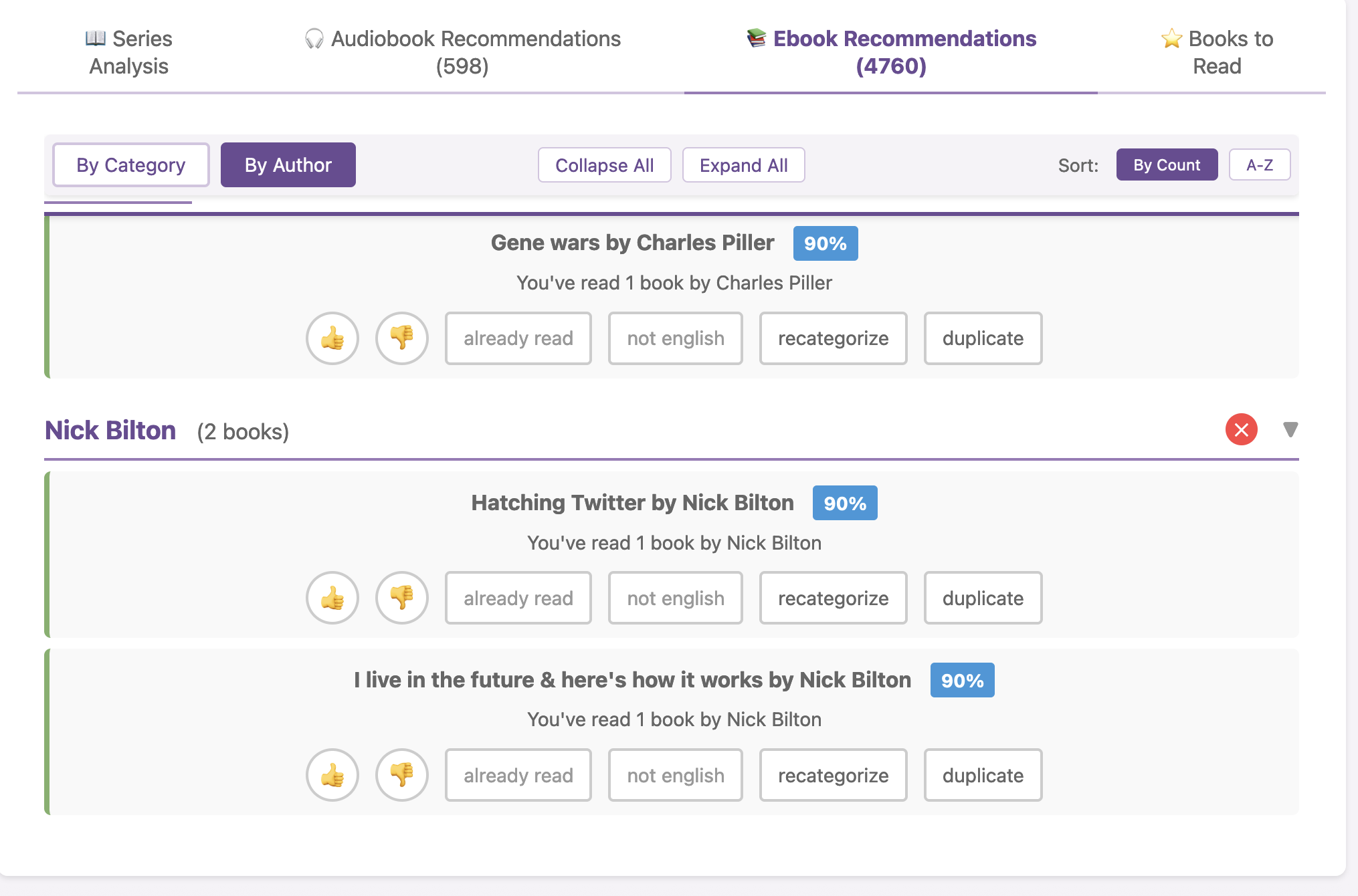
- Use AI and start a new project and have it help you learn to do something new. This could be something like building your first app or website, anything digital that you maybe thought you couldn’t possibly figure out how to do. These tools have come a long way and it’s a lot more feasible now to tackle just about any project! I went from never having developed mobile apps to developing an iOS app, another one, my first-ever Android app (with stops and starts along the way until the models got good enough to help me through it), all kinds of research and data science steps, and more. Even if you tried a year or two ago and it didn’t work – try again. The models are much, much better, and you should even think about trying again after 3 months because things are changing that much! (And AI can help with non-digital projects, too, it’s helped me think step by step on some of my first paintings that I wouldn’t have known where to start without it.)
The other thing I ended up doing a lot of this season was painting rocks. This started because I walk outside almost every day and several times over the past few years I will randomly spot painted rocks that people leave on the trail to find and move around and trade. I love seeing them. Last year someone did a few holiday ones, and this year I found myself thinking “I wish someone would do that again!”. Oh wait. Maybe *I* should do that?! After all, I have paints. I could get rocks and paint them. They probably wouldn’t be very good, but they don’t have to be. So I started looking up ideas (which is how I rediscovered Pinterest for the first time in 6 years) and found a few designs I thought I could maybe handle doing. And I started painting and realized that it would be fun to surprise people with and give them painted rocks and suggest THEY go leave them somewhere in their neighborhood/trail/wherever to make them smile. I ended up giving my first batch away without having any to put on my trail. So I made some more but they also turned into gifts. They’re not amazing (my hand muscles make it very challenging to paint straight lines for example) but a mix of practice, picking designs that tolerate mistakes, and separating how the rock actually looks (does it look like X?) rather than critiquing how I didn’t perfectly mimic the reference design, means that I’ve continued to paint rocks. I love doing this because 1) it’s fun to surprise people, 2) it gets me into a “flow” state while painting, 3) anytime I get into a negative feeling cycle I can now use the process of planning and picking out my next designs or starting my next batch of rocks (e.g. doing the base coat of paint that has to dry first) as an outlet, and 4) it encourages people to go out and put them out which is good for them (makes them happy) and will make someone else smile the way I get thrilled when I see painted rocks out in the world.
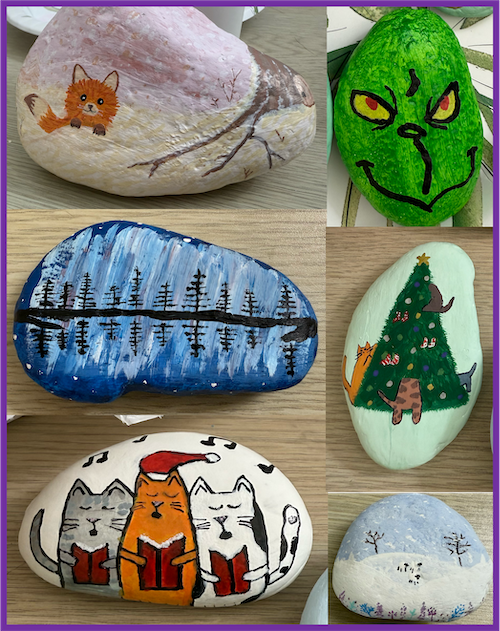 Maybe painting isn’t your thing (it wasn’t my thing until I tried it this year!), but the point is to find something that you could learn to do or use something you can do and tie it into doing things for other people. It will feel better than having the cycles of negative feelings where you feel like you can’t do anything. And maybe you can’t do anything about the situation that causes the negative feelings, but maybe you could. And if not, doing something else to distract yourself or inject more positive feelings into your life could be a great strategy to try.
 Think “motion is lotion” and by doing something, anything, it will give you momentum so then you can do something else, including tackling bigger issues or problems or needs that you have.
(PS – if you have a favorite thing that you fall back to doing when you find yourself tipping into these patterns, please comment below – I’m always looking for things to add to *my* list to be able to do!)
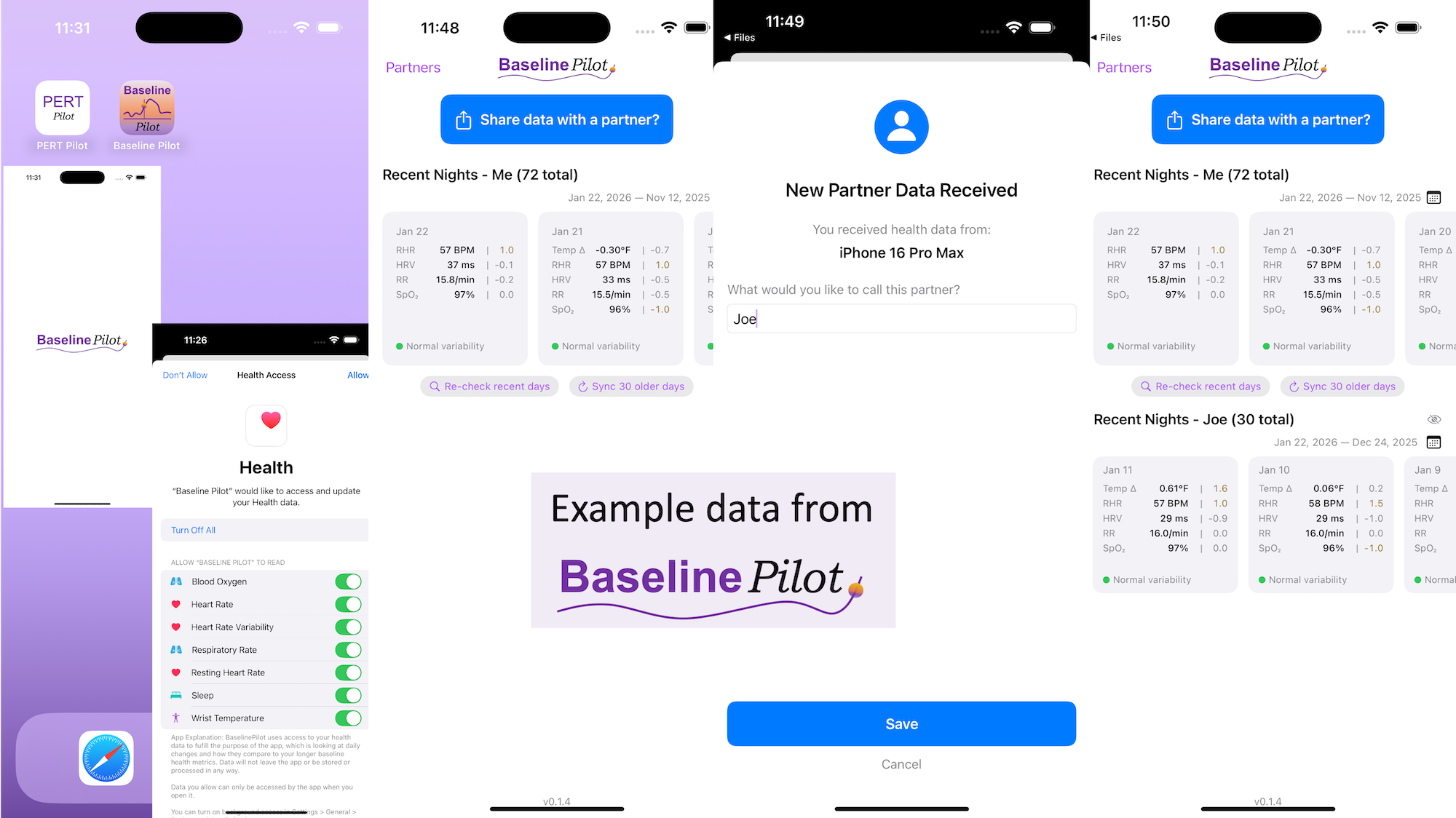
 All of this data is local to the app and not being shared via a server or anywhere else. It makes it quick and easy to see this data and easier to spot changes from your normal, for whatever normal is for you. It makes it easy to share with a designated person who you might be interacting with regularly in person or living with, to make it easier to facilitate interventions as needed with major deviations. In general, I am a big fan of being able to see my data and the deviations from baseline for all kinds of reasons. It helps me understand my recovery status from big endurance activities and see when I’ve returned to baseline from that, too. Plus the spotting of infections earlier and preventing spread, so fewer people get sick during infection season. There’s all kinds of reasons someone might use this, either to quickly see their own data (the Vitals access problem) or being able to share it with someone else, and I love how it’s becoming easier and easier to whip up custom software to solve these data access or display ‘problems’ rather than just stewing about how the standard design is blocking us from solving these issues!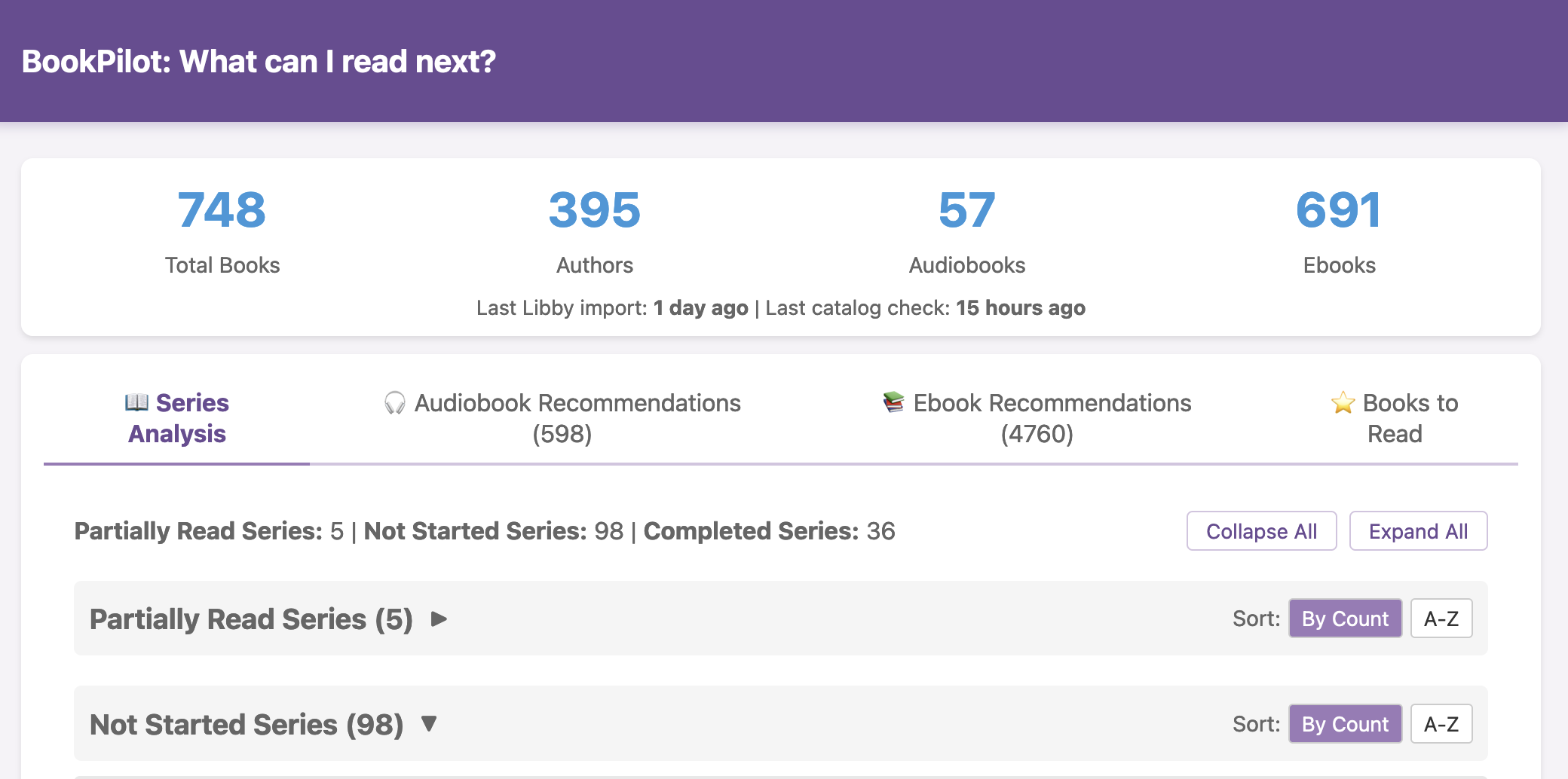
 I haven’t open-sourced BookPilot yet, but I can (
Recent Comments